
How to Sign In and Use Your Deriv.com Account
🔐 Learn how to sign in and manage your Deriv account easily from Kenya. Get tips on password safety, troubleshooting, and using the user dashboard effectively.
Edited By
Isabella Green
Accessing your Deriv account quickly and securely is the first step to smooth trading. Whether you're fresh to the platform or coming back after a break, knowing how to log in safely and manage your account settings goes a long way in avoiding unnecessary delays or security risks.
Most traders access Deriv via the web or the mobile app. To log in, you'll need your registered email address and strong password. Deriv uses secure encryption to protect your details, but it's still wise to take your own precautions. Avoid logging in from public Wi-Fi or untrusted devices, as these can expose your account details.
If you face problems during login, common issues include forgotten passwords, account suspension due to security concerns, or browser compatibility. Deriv offers clear prompts to reset your password via email, and you can also check your inbox's spam folder if you don’t receive the reset link promptly. Ensuring your browser is up to date helps avoid technical glitches.
Keep your login details private and enable two-factor authentication (2FA) where possible to add an extra shield to your account.
Once inside your account, it's good practice to review your personal and security settings. Confirm your contact details are current—this makes account recovery easier if needed. Consider setting up SMS or email alerts for login activities to monitor any suspicious access in real time.
Here are practical steps to get started:
Prepare your login credentials ahead of time to avoid fumbling during busy trading periods.
Use a password manager if remembering complex passwords becomes tricky.
Enable 2FA through apps like Google Authenticator or receive codes via SMS.
Keep your device’s software updated to patch security vulnerabilities.
By following these simple measures, you protect not only your Deriv account but also your trading funds and personal data. The next sections will guide you through detailed steps for logging in, troubleshooting access problems, and managing your account settings for a seamless trading experience.
Learning how to log into your Deriv account properly is the first step towards smooth trading and managing your investments. The login process not only gives you access to the platform but also protects your funds and personal information. Whether you are a new trader or an experienced investor, following the correct steps ensures your account remains secure and you avoid common issues that waste time and stress.
Using a secure internet connection is essential when accessing your Deriv account. Avoid public Wi-Fi networks at bus stops or cafes where hackers may easily intercept data. Instead, use a private, encrypted connection—like your home Wi-Fi or mobile data—to minimise risks. For example, if you’re in Nairobi and rely on public Wi-Fi hotspots, you put your login details at risk unless you use a virtual private network (VPN).
Navigating to the correct Deriv website URL is vital to avoid phishing scams. Some fraudsters create fake websites resembling Deriv to steal information. Always type the official URL directly into your browser or use the official app rather than clicking unknown links from emails or social apps. Verifying the site's security certificate (look for the padlock symbol) provides an additional check before logging in.
Downloading and installing the official Deriv app offers convenience and built-in security. Instead of relying on a browser, installing the app from trusted sources like Google Play or Apple App Store reduces the chance of malicious interruptions. The app also streamlines your experience and sends notifications for important account activity, helping you stay updated on your trades.
Using your registered email or account ID correctly is the gateway to your account. This identifier should match exactly how you registered, without any typographical errors. For example, a trader might have registered with "john.kamau@example.com"; trying to log in with "john.kamwu@example.com" will block access. Double-check before submitting.
Password requirements and input are set to keep your account safe from brute force attacks. Deriv usually requires a strong password combining upper and lower case letters, numbers, and special symbols. Avoid simple passwords like "password123" or your birthdate. Instead, create a unique password, possibly a phrase combined with numbers to meet complexity rules. When entering your password, be cautious in public areas to prevent shoulder surfing.
Two-factor authentication (2FA) setup during login adds a powerful shield to your account. After submitting your email and password, 2FA asks for a one-time code from an app like Google Authenticator or via SMS. This means even if someone steals your password, they can't get in without the code on your mobile. Enabling 2FA is straightforward and highly recommended for any serious trader.
Logging in securely to your Deriv account is not just about convenience—it’s about protecting your investments, reputation, and peace of mind. Taking these steps seriously reduces risks significantly.
Troubleshooting common login problems is a vital section for anyone using the Deriv platform. Trading and investment require quick, reliable access to your account. Delays caused by login issues can lead to missed opportunities or exposure to market risks. Understanding how to resolve common problems like forgotten passwords or account lockouts helps maintain uninterrupted access and protects your funds.
Using the password reset option is the first step when you can’t recall your Deriv login details. The platform provides a straightforward password reset link on the login page. By clicking it, you initiate a process that safeguards your account from unauthorised access. It’s important to follow this step without delays to regain access quickly, especially when the market is moving fast.
Steps to verify your identity come after requesting a password reset. Deriv requires users to confirm their identity to prevent phishing or fraud. Typical methods include sending a verification code to your registered email or phone. Sometimes, you may need to answer security questions or provide account details. This step ensures that only you can change the password, which is crucial where accounts hold real money.
Creating a new, strong password is critical after identity verification. Choose a combination of letters, numbers, and symbols that is hard to guess but memorable enough to avoid future lockouts. For example, instead of simple sequences like "password123", use phrases related to your trading habits or favourite Kenyan landmarks mixed with numbers and special characters. Changing your password periodically further strengthens account safety.
Reasons for account lockouts vary but commonly include multiple failed login attempts or suspected suspicious activity. For instance, if someone tries the wrong password repeatedly, the system locks the account temporarily to protect it. Errors may also occur due to outdated app versions, network issues, or incorrect credentials. Knowing why your account is locked prevents frustration and helps you act swiftly.
How to contact Deriv customer support is essential when self-help steps don’t resolve the issue. Deriv offers multiple support channels such as live chat, email, and a help centre. Having your account details ready when you reach out speeds up assistance. For example, traders in Nairobi can get quick responses through live chat during business hours, while others might prefer email for detailed issues. The key is to stay calm and provide accurate information.
Preventing future lockouts involves adopting best practices like enabling two-factor authentication (2FA), regularly updating your password, and avoiding multiple failed login attempts. Also, avoid using public or insecure internet connections during login to reduce the risk of hacking. Setting reminders to check your account’s security settings occasionally can save you from unnecessary lockouts which disrupt trading.
Addressing login troubles swiftly and efficiently lets you focus on trading without distractions. Knowing the right steps for recovery and prevention guarantees smoother control over your Deriv account.
Keeping your Deriv account secure is more than just a precaution — it’s the foundation for safe and stress-free trading. When trading online, especially with real money, it’s vital to guard your account against unauthorised access and fraud. Enhanced security measures, like two-factor authentication (2FA) and vigilance against phishing scams, significantly reduce risks and give you peace of mind while you focus on the markets.
Two-factor authentication adds an extra layer of protection beyond your password. Even if someone guesses or steals your password, 2FA prevents them from accessing your account without a second form of verification, usually a code sent to your phone or generated by an app. This step drastically reduces cases of unauthorised logins, which can lead to loss of funds or sensitive information.
For instance, traders have reported suspicious login attempts blocked thanks to 2FA. Since Deriv holds sensitive financial and personal details, 2FA acts like a lockbox key that only you can open.
Deriv supports several common 2FA methods to fit different preferences and device availability. The usual options include a time-based one-time password (TOTP) app such as Google Authenticator or Authy. These apps generate codes every 30 seconds and don’t require internet access once set up.
Alternatively, you might receive codes via SMS, though this method is somewhat less secure due to risks like SIM swapping. The authenticator app remains the preferred choice, as it operates independently from the mobile network and is harder to compromise.
Activating 2FA on Deriv is straightforward. First, log into your account and go to the security settings. Select the two-factor authentication option and choose your preferred method. If using an authenticator app, you will scan a QR code with the app, which will then generate a verification code to enter back on Deriv.
Once verified, 2FA becomes active, and every subsequent login will ask for a code from your authenticator app or SMS. Keep backup codes safely stored in case you lose access to your authentication device.
Phishing is a common way scammers steal account credentials by disguising as a trustworthy source. Usually, phishing emails or messages ask you to verify your account or update payment details urgently. Red flags include unexpected messages from unofficial email addresses, poor grammar, suspicious links, or requests for your password.
For example, an email claiming to be from Deriv but coming from a generic Gmail address with spelling mistakes signals a likely phishing attempt. Always hover over links to check their URL before clicking.
Never share your password or 2FA codes with anyone, no matter how official the request sounds. Deriv will never ask for your password via email or chat. Use unique, strong passwords combined with 2FA to reduce vulnerabilities.
If you must log in on a public computer or internet café, avoid saving passwords or leaving active sessions. Clearing browser data helps prevent others from gaining access.
If you suspect a phishing attempt or notice unusual account activity, contact Deriv customer support immediately. Reporting helps the platform take action, warn other users, and possibly trace the scammers.
Besides official support, forward suspicious messages to Deriv’s security team if possible. Early reporting can prevent losses and strengthens the entire trading community’s security.
Staying alert and implementing strong security measures protects you from avoidable risks. With Deriv, securing your account via 2FA and spotting phishing are practical steps that keep your trading experience smooth and safe.
Once you have logged into your Deriv account, managing it effectively ensures smooth trading and compliance with regulatory demands. Over time, your needs or personal details might change, making it crucial to keep your information current and to understand how to fund your account or withdraw earnings. Proper account management avoids transaction delays and security risks.
To update your personal information, start by accessing the profile settings within your Deriv dashboard. This section typically allows you to edit your name, email, phone number, and sometimes address. Keeping this information easy to find and update is practical, especially if you change contact details. For instance, if you switch phone networks or move homes in Nairobi or Mombasa, updating your contacts prevents communication lapses, which could block important notifications about your trades.
After making changes to your personal information, Deriv may require identity verification to confirm these updates. Uploading valid documents, like a national ID, passport, or utility bill, helps meet the platform’s Know Your Customer (KYC) rules. For example, if you update your phone number, Deriv’s review of your documents ensures the change is genuine, protecting your account from fraud attempts.
Keeping your details current is essential for compliance with financial regulations both locally and internationally. Regulators demand accurate client information to prevent money laundering or fraud. This means if your details are outdated, Deriv might restrict account activities, such as withdrawals. So, staying updated not only keeps your account in good standing but also ensures access to all functions, especially for active traders relying on timely transactions.
Deriv supports several payment options familiar to Kenyan users, including M-Pesa, bank transfers, and credit cards. M-Pesa, being widely used across the country, offers a straightforward way to deposit funds instantly and safely. For example, you can send KS0,000 to your Deriv account directly from your Safaricom mobile wallet without visiting a bank or ATM, making it very convenient if you’re on the move.
When funding your account, ensure you enter accurate details like the correct payment method and amount. Some methods have minimum deposit limits, such as KS00 for M-Pesa deposits. Similarly, withdrawals require verifying your identity and providing the same payment method as the deposit to avoid delays. Remember, each transaction must comply with internal policies, so avoid trying to withdraw more than your balance or using unapproved channels.
Transaction fees vary by payment option. M-Pesa deposits into Deriv are generally free, but withdrawing profits back to M-Pesa wallet might attract small fees charged by Safaricom. Bank transfers can incur charges both ways and usually take 1 to 3 business days. Understanding these charges and expected timeframes helps plan your trading and fund management without surprises.
Keeping your Deriv account details updated and understanding how to fund or withdraw funds responsibly helps you avoid unnecessary blocks, delays, and extra charges, leaving you free to focus on trading with confidence.
🔐 Learn how to sign in and manage your Deriv account easily from Kenya. Get tips on password safety, troubleshooting, and using the user dashboard effectively.
🔐 Learn how to log into Deriv.com easily from Kenya! Get tips on account setup, password security, troubleshooting, and using the user dashboard smoothly.
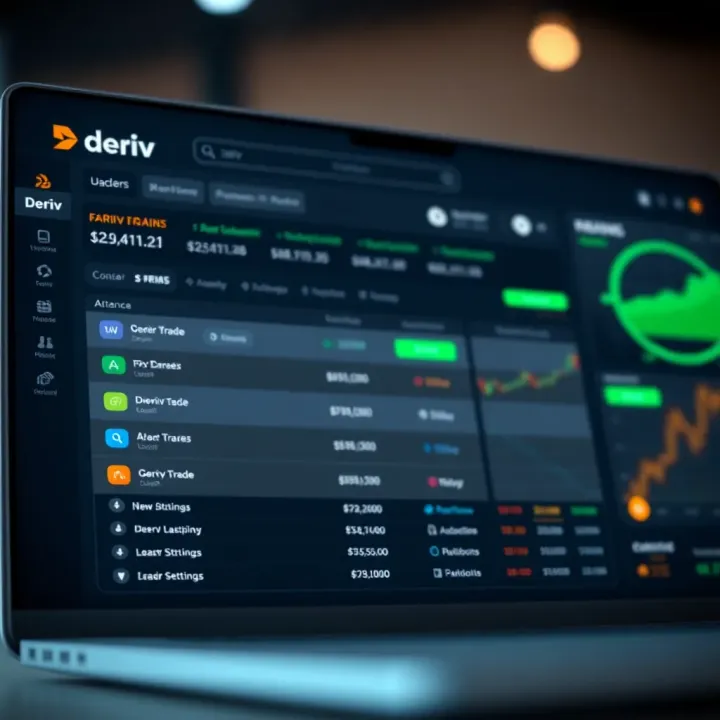
📈 Learn how Kenyan traders can open and use a Deriv account step-by-step. Explore types, funding options, trading tools, and stay secure while following local rules.
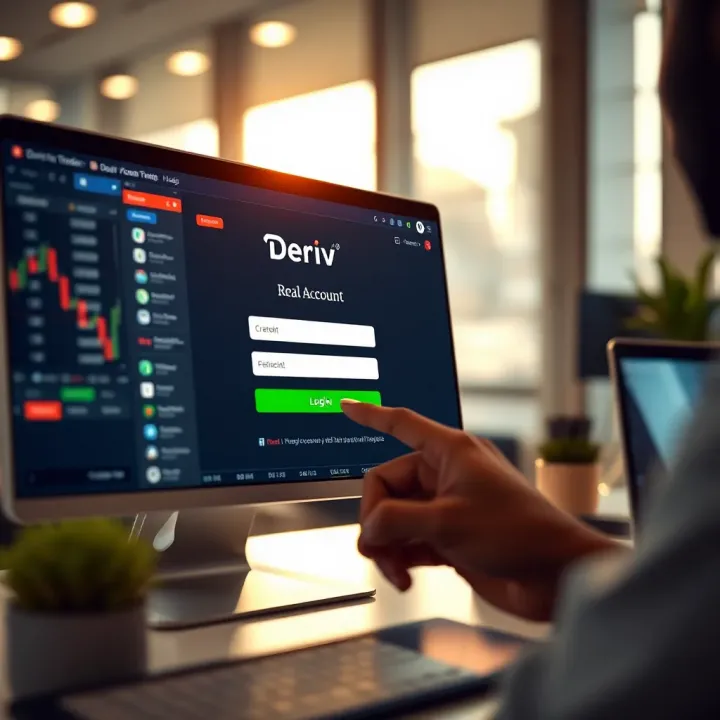
🔑 Master your Deriv real account login with step-by-step tips! From setup to troubleshooting, secure your trading and manage your account smoothly in Kenya.
Based on 6 reviews